2026-10-18 · 3 min · Ceytrex Labs
Who added that domain? Who deleted that link? Now you can check.
The Team page now logs every domain, invite, and link action with a name and a timestamp - a shared history that survives even if the person who did it later leaves.
- Teams
- Activity log
- Business
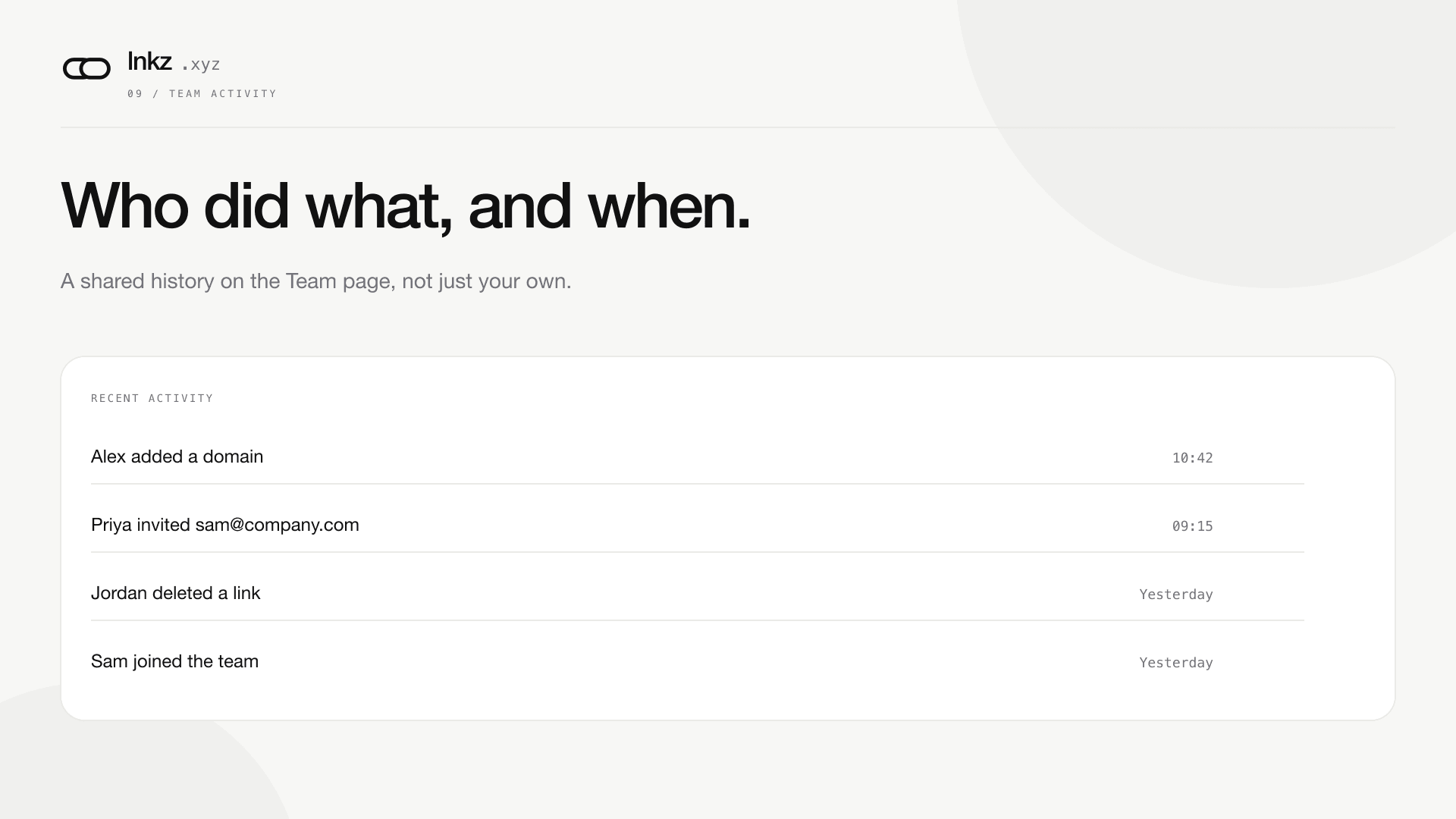
A team account used to have one view of its own history: whatever each person remembered doing. Business teams now get a shared activity log on the Team page - who added a domain, who sent an invite, who archived or deleted a link, and when.
What gets logged
- Creating, archiving, or deleting a team-attributed link.
- Adding or verifying a custom domain.
- Sending an invite, and a new member accepting one.
Each entry is attached to the account that acted, including a snapshot of their email address at the time - so the log still reads correctly even if that person later leaves the team or deletes their own account entirely.
Why a snapshot, not a live lookup
The obvious implementation points each log entry at the user who did it and looks their name up when the page renders. The obvious implementation also loses that name the moment the account is gone - exactly when an activity log matters most, like after an offboarding or a dispute about who removed a domain. We store the email at the time of the action instead, so account deletion can never erase the record of what happened.
Reading it
The Team page paginates the log 20 entries at a time, newest first. There's no filtering by person or action type yet - for a 10-seat team, a page or two of scrolling covers most questions.
Continue reading
2026-08-18 · 4 min
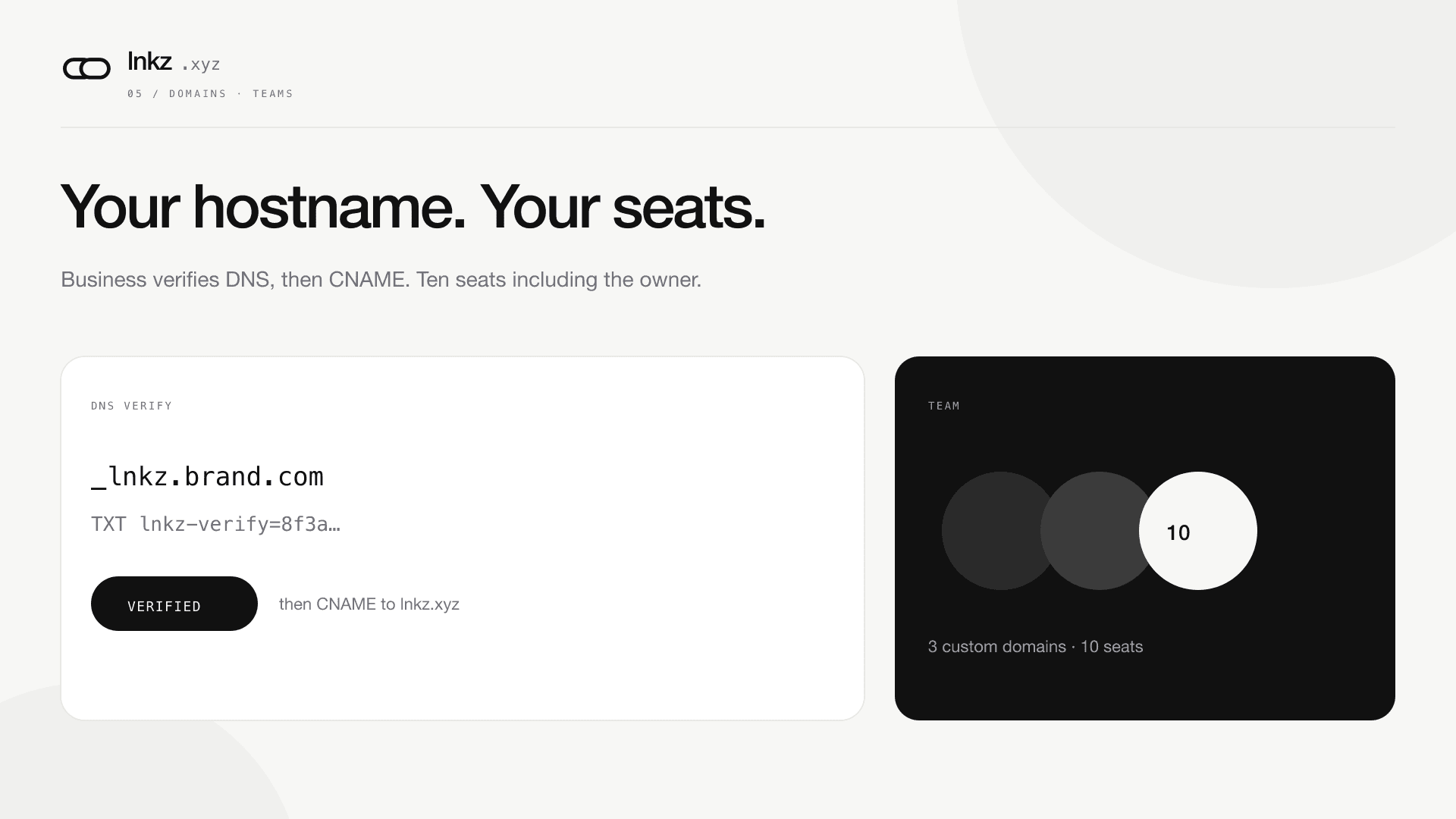
Custom domains and a 10-seat team
Business verifies hostnames with a TXT record, invites people by email, and shares links under one workspace.
2026-10-18 · 4 min
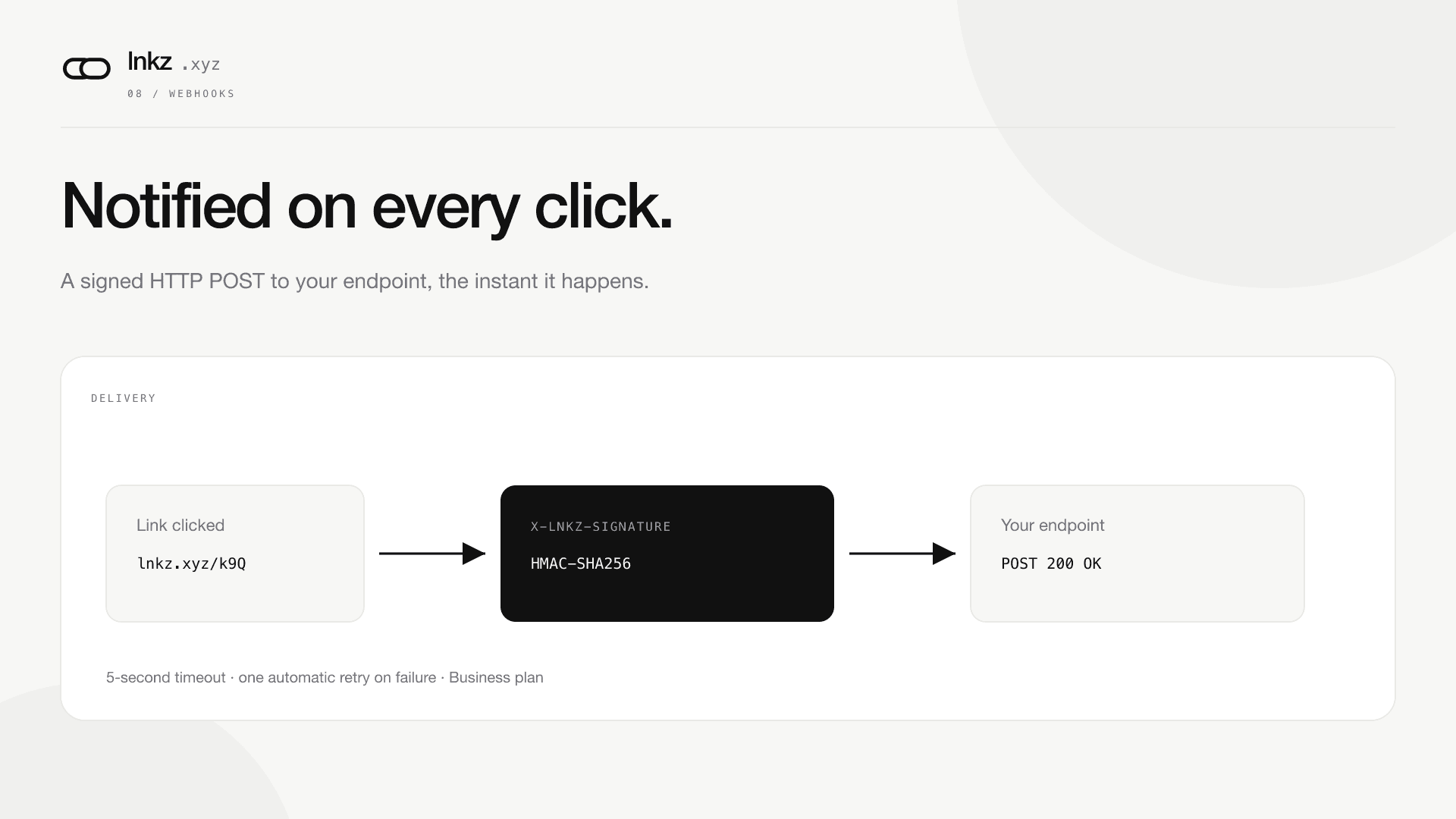
Get an HTTP request the moment someone clicks your link
Business teams can register a URL and receive a signed POST on every click - no polling, no dashboard refresh. One automatic retry if your endpoint is briefly down.
Ready to shorten? Paste a URL, read the API guide, or compare plans.